How to send photos to clients
Folio Team
Most advice about delivering photos is written from the photographer's chair: what is fastest to upload, what costs the least, what fits into an existing workflow. Those things matter. But the person who decides whether the delivery went well is the one who opens the link.
So this comparison starts from their side. Picture a client on their phone, on the sofa, a few weeks after the shoot. They want to see their photos, show them to someone sitting next to them, and save the ones they love.
What a client actually needs
A good delivery does four things for the person receiving it:
- It opens on a phone without installing an app or creating an account.
- It lets them look at the photos before downloading anything.
- It makes saving one photo as easy as saving all of them.
- It still works when they come back to it a month later.
Photographers have their own list, usually privacy and control over what can be downloaded. First, the four common methods, measured against the client's list.
Email attachments and ZIP files
Email is the method everyone already understands, and for a handful of photos it is fine. Five final headshots can go out as attachments and nobody will complain.
It stops working quickly after that. Most email providers cap attachments at around 20 to 25 MB, which is a few full-resolution JPEGs. The usual workarounds are shrinking the files, which defeats the point of hiring a photographer, or splitting the set across several emails, which leaves the client assembling it themselves.
A ZIP file solves the size problem and creates a different one. There is nothing to look at until the whole archive has been downloaded and unpacked. On a computer that is a minor step. On a phone it means a large download over whatever connection they happen to have, and then photos that sit in a files app rather than in their camera roll. A ZIP is still worth offering, because some clients want everything in one go for a backup. It makes a poor first impression as the only option.
Cloud drive folders
Sharing a folder from Google Drive, Dropbox, or OneDrive is probably the most common method, and it has real strengths. Storage is cheap or already paid for, uploading is a drag and drop, and the client can open individual files without downloading the full set.
The weakness is that these are file managers. They are built to show documents, so photos appear as a grid of small cropped thumbnails with filenames underneath. Depending on how the folder is shared, the client may also be asked to sign in or request access, and that is often where a less technical relative gives up and texts you.
If you deliver this way, two habits help:
- Set sharing to "anyone with the link can view" and test it in a private browser window before sending.
- Keep the folder in place. Reorganizing your drive a year later can quietly break every link you have sent.
Transfer links
Services like WeTransfer are built for one job: moving a large pile of files from one person to another. They handle big deliveries without fuss, and the client does not need an account.
They share the ZIP file's main drawback, since what arrives is a download with little or no way to browse first. They also expire. On most transfer services the link stops working after a set number of days. That suits a retoucher or a picture desk and suits a wedding couple badly. Clients come back for their photos months later, and an expired link turns into a request for you to send everything again.
Transfer links are a good fit for sending files to other professionals. For clients, they are a courier and should not be where the photos live.
Online client galleries
A client gallery is a web page made for looking at photos. The client opens a link and sees the images laid out in a grid, taps one to view it full screen, and downloads a single photo or the full set if you allow it. Pixieset, Pic-Time, and SmugMug are well-known examples, and it is the category Folio belongs to.
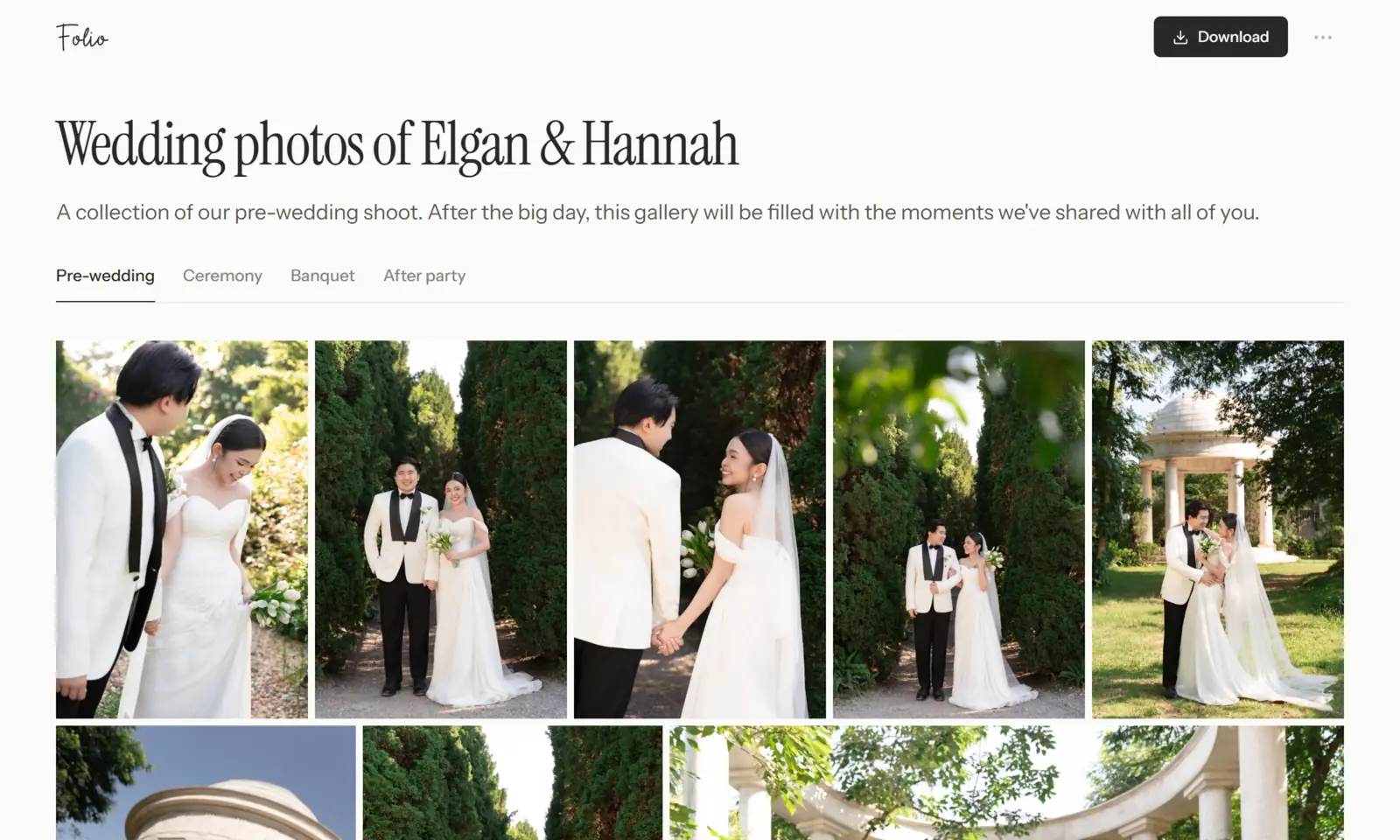
Measured against the client's list, this is the method that does best. Browsing comes before downloading, it works on a phone, and the link can keep working for as long as you want it to.
It is also the method that answers the photographer's list. A gallery can sit behind a password, show watermarked previews during a proofing round, or have downloads switched off until the final invoice is paid. Those controls are awkward or impossible with a shared folder.
The honest costs are money and one more tool to learn. Dedicated platforms charge for storage, and some put a lot of setup between you and your first upload. If you deliver a few small jobs a year, a carefully shared drive folder may be all you need.
Which one to use
A rough guide:
- A few images, an informal job: email attachments.
- Files going to an editor, designer, or printer: a transfer link.
- Occasional client work on no budget: a cloud folder, shared carefully.
- Regular client work, or anything personal like a wedding: a client gallery, with a ZIP download offered inside it.
Whichever you choose, open the link yourself on a phone before you send it, in a browser where you are not signed in. It takes a minute and catches most of the problems described above.
Where Folio fits
We built Folio because we had been on the receiving end of the ZIP file and the drive folder and wanted something better for both sides. The longer story is in why we built Folio.
The short version: you create a gallery, drag your photos in, and share the link. Clients open it in any browser with no account, see every photo uncropped, and swipe through them full screen. You decide whether a gallery has a password or an expiry date, whether photos carry a watermark, and whether individual photo and ZIP downloads are allowed.
It is free to start, and the details are on the pricing page. If it is not the right fit, we hope the comparison above is useful anyway.