Portfolios
Show off your best work
Turn selected galleries into a public portfolio while keeping client work private or unlisted—all from one account.
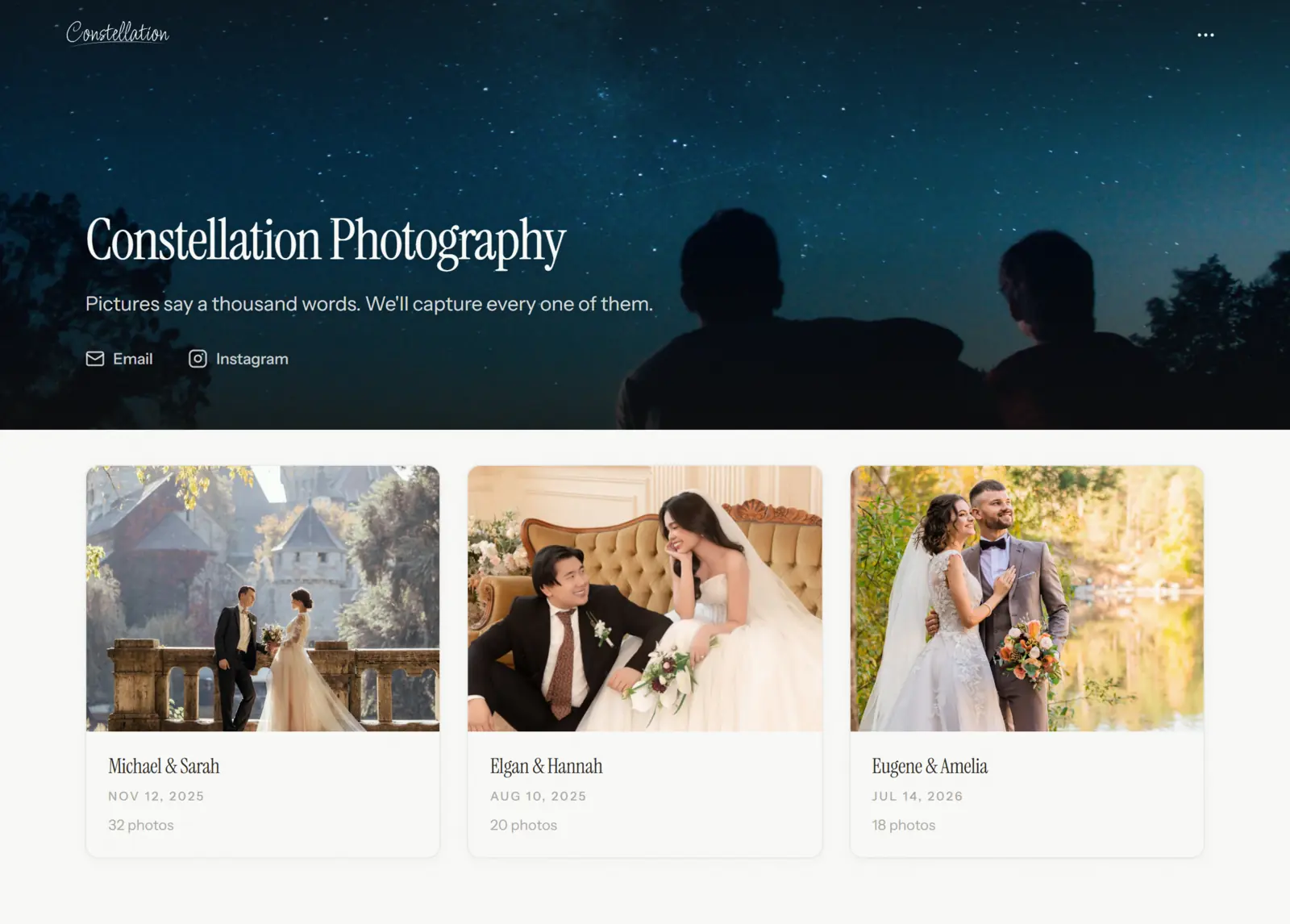
Portfolio home
Let your public work lead
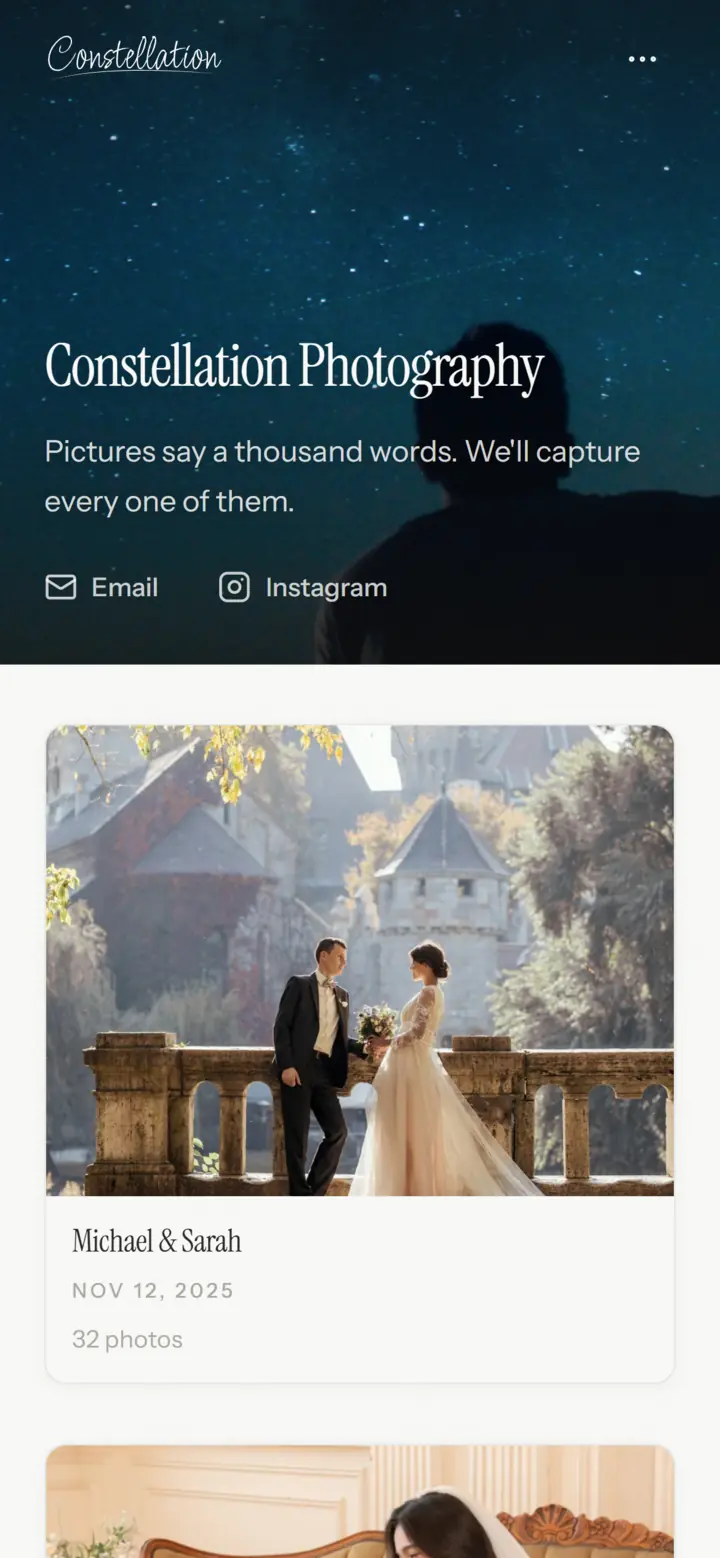
Give your portfolio a name and description, then publish the galleries you want visitors to find. Public galleries appear automatically in a responsive grid; private and unlisted work stays off the homepage.
One platform
Show selected work. Deliver client work privately.
Each gallery has its own visibility. Make portfolio work public, keep client delivery unlisted, or leave a gallery private until it is ready. Everything stays in the same dashboard.
One Portfolio, Three Ways to Share
Portfolio home
constellation.page/
Public gallery
constellation.page/weddings
Client gallery
constellation.page/engagement-proofs
One portfolio · One address · One dashboard
Presentation
A finished gallery without a site-builder detour
Choose a contained or full-width layout, set the grid density and image spacing, and decide whether the title and description appear. Preview on desktop or mobile before you publish.
Gallery Layout
Container width
Grid density
Image spacing
FAQ
Questions & answers
Yes. Publish public galleries for your portfolio and leave the client-delivery controls unused until you need them.
Set a gallery to Public and it appears on your portfolio homepage. Private and Unlisted galleries stay off the homepage.
Yes, on Lite and higher plans. You can point a custom domain at Folio and use it for both your portfolio homepage and gallery links. Free portfolios use a folio.photo address.
No. New galleries start as Private. When one is ready, make it Public to list it on your portfolio or Unlisted to share it only by link.
Yes. The portfolio homepage and every gallery adapt across desktop, tablet, and mobile. The editor also includes desktop and mobile previews.
One place for all your work.
Set up your portfolio in minutes.
Free to start, no credit card required.